Accept Bitcoin
Without the Complexity
Payment gateways want your ID. BTCPay Server needs a VPS and Docker expertise. CashuPayServer is the middle ground: a BTCPay-compatible gateway that runs on the PHP hosting you already have.
See the Problem & Solution
A one minute-ish walkthrough explaining why CashuPayServer exists and how it works.
Pick Your Trade-off
Every option has costs. Here's where CashuPayServer fits in the landscape.
Custodial Services
Convenient, but you hand over control.
- Customer KYC may be required
- Can freeze funds
- Geographic restrictions
- Easy setup
BTCPay Server
Full sovereignty, but needs sysadmin skills.
- Needs VPS ($20+/month)
- Docker + Linux knowledge
- Ongoing maintenance
- Self-custodial
- Fully sovereign
CashuPayServer
Upload to shared hosting and you're done.
- Works with any cheap PHP hosting
- No technical skills needed
- BTCPay-compatible API
- No accounts or KYC
- Self-custody possible
What You Get
Built for merchants who want to accept Bitcoin without running infrastructure.
Open Source (MIT)
Read every line of code. Fork it, audit it yourself. No black boxes, no hidden tracking.
Merchant Anonymity
No account creation at any mint. Your store talks to the mint's public API directly, same as any other client.
Pure Lightning Experience
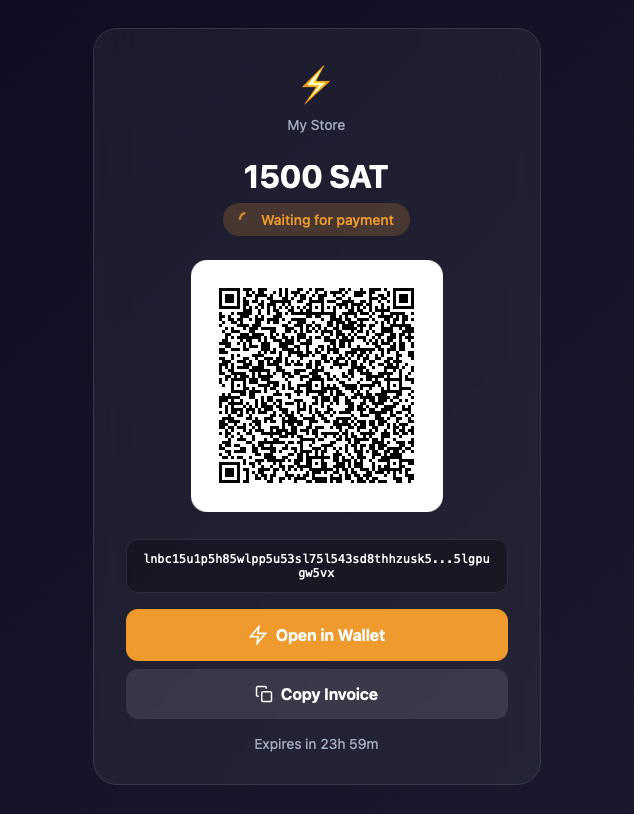
Customers see a normal Lightning invoice — no need to know about Cashu. Auto-withdrawal means sats go straight to your wallet.
$3/Month Hosting
Works on the cheapest shared PHP hosting you can find. If it runs WordPress, it runs this.
BTCPay-Compatible API
Implements BTCPay Server's Greenfield API. WooCommerce and other plugins connect by changing one URL.
Easy Upgrade Path
Started with CashuPayServer and later set up BTCPay? Just update the URL and API keys. Nothing else changes.
Three Steps to Bitcoin
No terminal. No config files. Just a web browser.
Upload
Download the zip, extract it, upload to your web hosting via FTP or file manager. That's the "install."
Configure
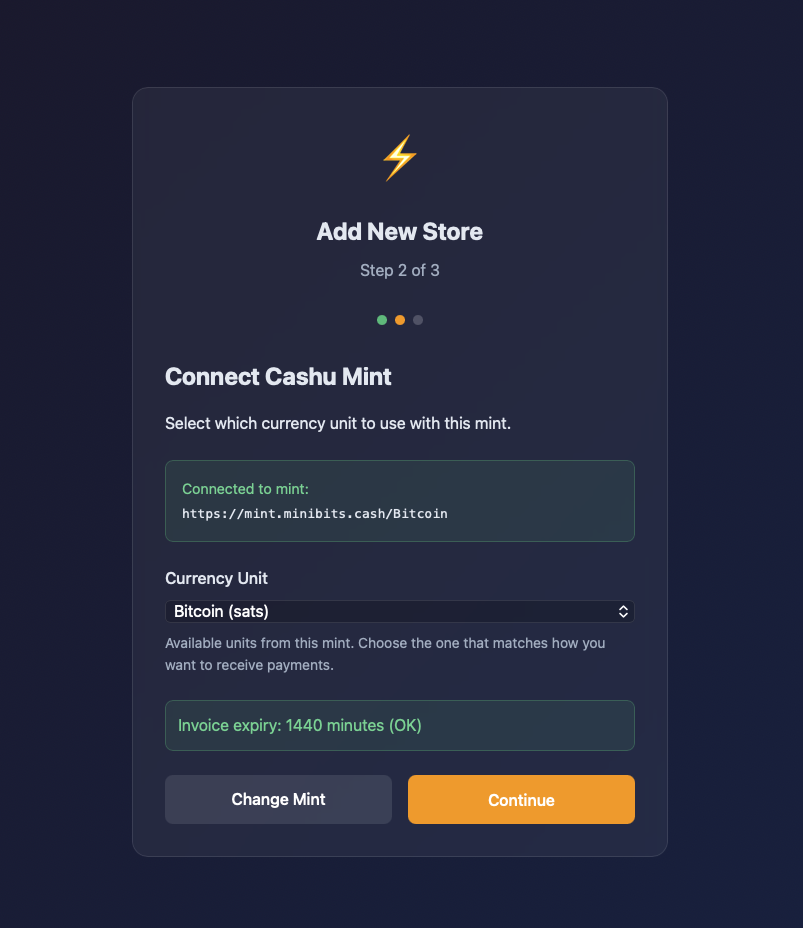
Open the URL in your browser. The setup wizard walks you through picking a Cashu mint and setting a password.
Integrate
In your store's BTCPay plugin settings, paste your CashuPayServer URL instead of a BTCPay Server URL. Done.
Install
Install the plugin via Plugins → Add New → Upload Plugin in your WordPress admin dashboard.
Configure
The setup wizard integrates with your existing WordPress authentication and WooCommerce BTCPay settings automatically.
Done
Works with WooCommerce BTCPay plugin out of the box, or integrate with any BTCPay-compatible app.
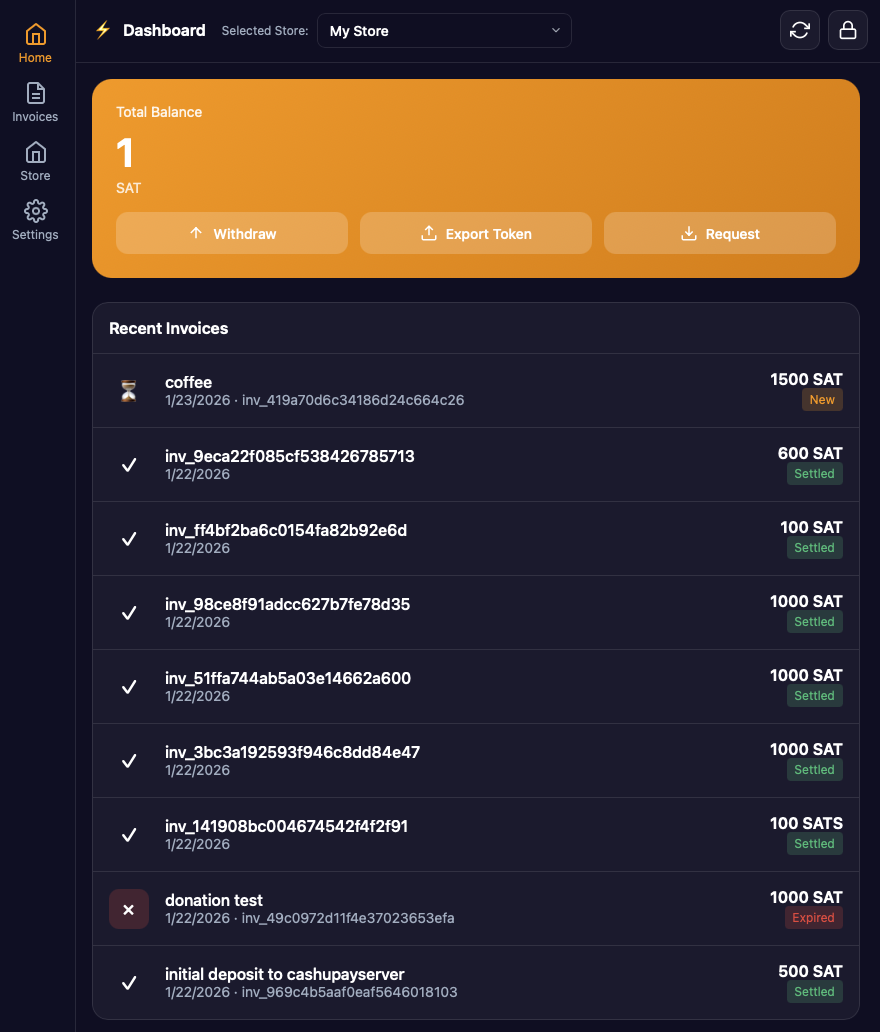
See It in Action
Screenshots from a running instance.
Run Your Own Mint
CashuPayServer works with any Cashu mint, including third-party ones. But third-party mints hold your funds until you withdraw them. They could disappear. If you're serious about sovereignty, run your own mint. It's the Bitcoin way. Third-party mints are fine for testing or small amounts you're willing to lose.
Support the Project
CashuPayServer is free and open source. Donations help keep it that way.
Make a Donation
This is also a live demo of the payment flow. Yes, we use CashuPayServer to accept donations.
For Developers
Build on top of CashuPayServer or use the components standalone.
cashu-wallet-php
Standalone PHP library for Cashu. Mint tokens, manage proofs, interact with NUT-compliant mints. MIT licensed.
Greenfield API
BTCPay's v1 API. Create invoices, register webhooks, check status. Your existing BTCPay integration code works as-is.
Requirements
PHP 8.0+ with curl, json, and sqlite3 extensions. That's it. Works on Apache, nginx, LiteSpeed, or anything else that serves PHP.
Questions & Answers
Everything you need to know about CashuPayServer.
The project is free and open source and you run it on your own infrastructure. There is a voluntary donation to support the project when you withdraw money through the Cashu mint. We do not process or have custody of your Bitcoin at any time.
This project is primarily focused on Bitcoin Lightning. Some mints might support other tokens to store the received money (for example USD or EUR), but this is not very well tested. Customers pay with Bitcoin over Lightning in any case. Withdrawal is possible to Lightning and directly using Cashu protocol to your Cashu wallet.
Yes it is. Seriously. We love it, we use it. But for some shops, when they are just starting to accept Bitcoin, it might be an overkill to install and maintain. CashuPayServer runs on the infrastructure you probably already have and that's its advantage. When you "grow up", we hope you switch to BTCPayServer. We've done everything in as compatible a way as possible, so the switch is easy.
Both versions provide the same CashuPayServer functionality. The standalone ZIP file can be hosted on any PHP hosting and works with any BTCPay-compatible integration. The WordPress plugin is more convenient for WordPress users — it uses WordPress authentication and automatically integrates with WooCommerce's BTCPay plugin without additional configuration.
It is unfortunately your responsibility to consider all the legal aspects. You are running the gateway. We believe this is legal to run in most jurisdictions. But we also are not lawyers. For this, do your own research, consult a good tax attorney.
We also believe accepting Bitcoin for your own business does not make you a licensed provider in most jurisdictions — you are essentially running your own gateway. KYC is required for payment gateways that provide this service to third parties. But also — you need to consult lawyers yourselves, we are not lawyers.
No, we are a new project. Test it out with small purchases and let us know!
No. You are. This is open-source software without any warranty whatsoever. You should setup auto-withdrawal though.